
New
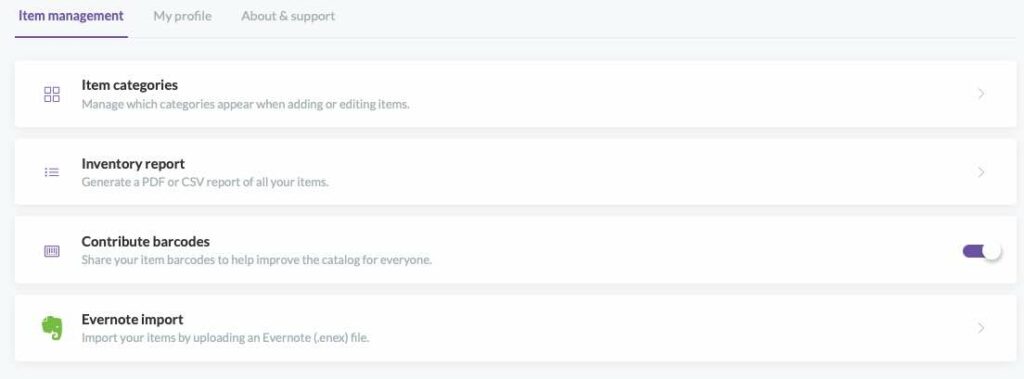
Redesigned Settings. Settings is now organized into three clear tabs, designed to make things easier to find. This is where you can find the full Inventory report to export (CSV or PDF) and the Contribute barcodes opt-in/out toggle.
Reset a forgotten password. The login screen now has a “Forgot password?” link. Enter your email, we’ll send a 6-digit code and you set a new password — no need to contact support.
Change your email yourself. Go to My Profile to change your account email. For security purposes, you will be asked for your account password first. We also send a confirmation to your old email address.
Show/hide your password. Every password box now has an eye icon to reveal what you’ve typed, so you can catch typos before submitting.
Improved
- Set an item’s primary image right when you add it (before the item had to be saved before seeing this).
- Manufacturer, storage, and tags now respect the exact capitalization you type, and the app suggests an existing name when you enter a different case — so you don’t end up with accidental duplicates.
- Pop-up windows like Search Barcode Catalog and Add item manually can now be moved and resized.
- More helpful error messages when something goes wrong.
Fixed
- Items in Sets now correctly show the primary image.
- The Like thumbs up on an item now syncs to your other devices.
- Deleting an item or image from a project no longer hides the row — the remaining items stay visible as expected.
- Other minor bug fixes.
We’ve also made the app faster and more reliable, and strengthened account security, behind the scenes.